Extensions / AISave
Live on ChromeFree + Pro

Your AI chats,
saved & searchable.

Save any AI answer with one click. Organize everything in folders, search the full text, and export to PDF, Markdown or an Obsidian vault — all without a single byte leaving your device.

100% local · no account needed · free forever tier
AISave — side panel
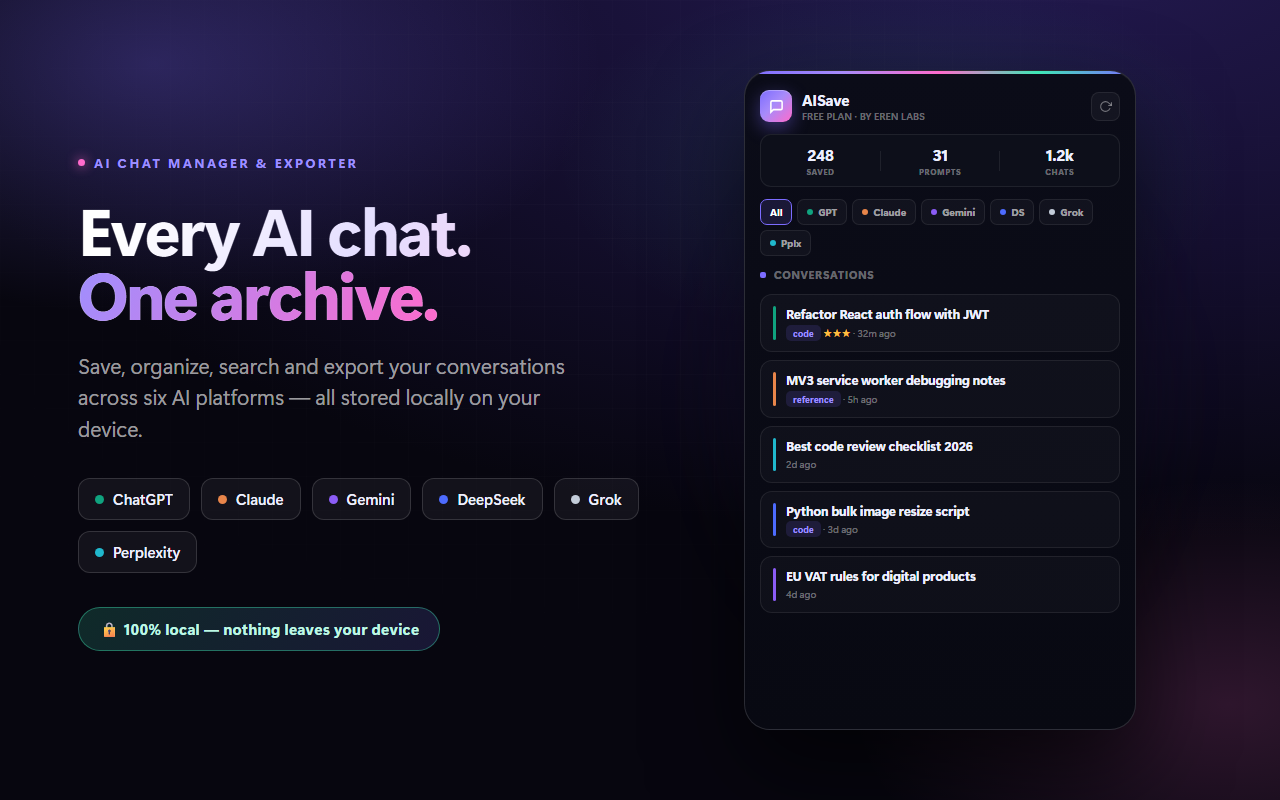
AISave side panel with saved AI conversations
By the numbers
6
AI platforms
5
Export formats
100%
On your device
1‑click
To save an answer
Works everywhere

One extension for every AI assistant

AISave adds save, export and search directly inside the AI chat tools you already open every day. Switch between them freely — everything lands in the same organized archive.

ChatGPT Claude Gemini DeepSeek Grok Perplexity
Capture

Save the best answers the moment you get them

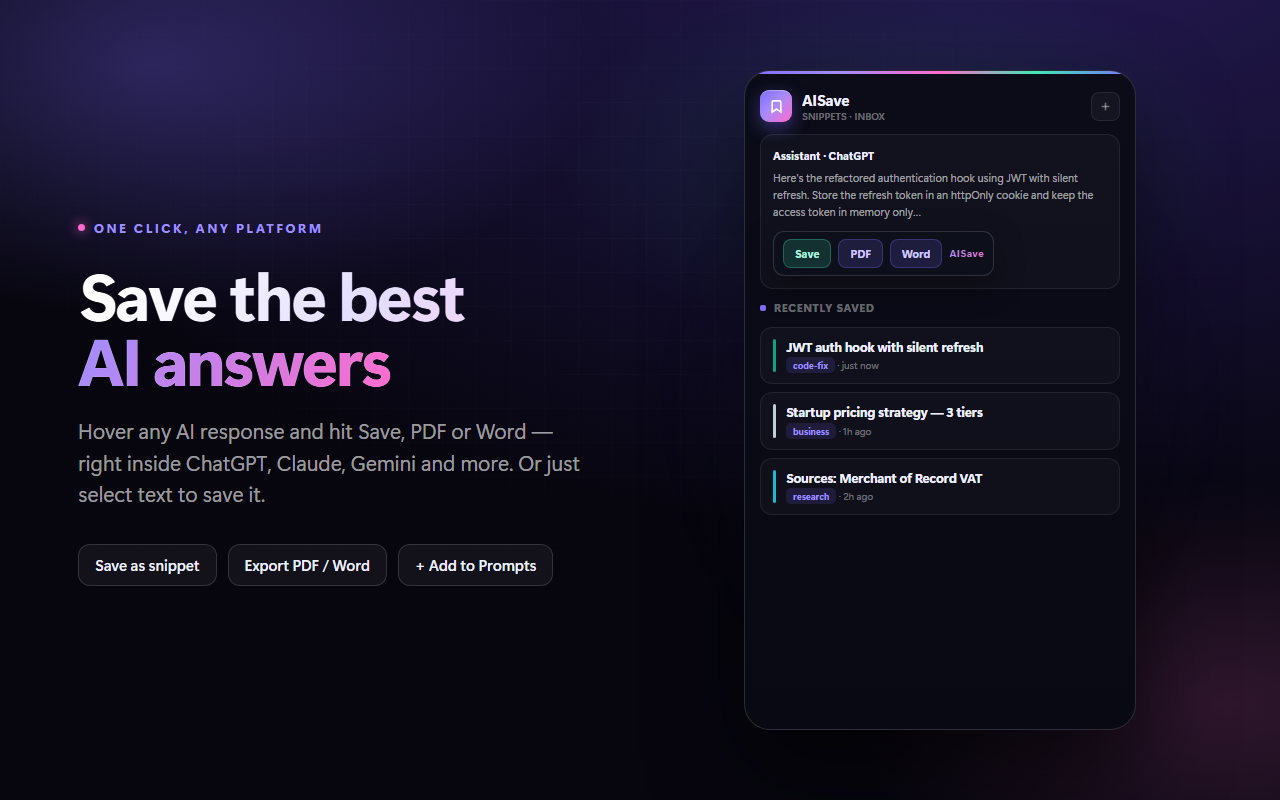
Hover any AI response to reveal Save, PDF and Word buttons. One click stores it as a searchable snippet — the prompt that produced it comes along too. On any site, just select text to save a passage.

  • In-place buttons — Save / PDF / Word under every answer, no copy-paste.
  • Prompt context kept — the question is saved with the answer, so snippets still make sense later.
  • Select-to-save — highlight any text and a floating button captures just that part.
Save from any answer
Save, PDF and Word buttons under an AI answer
Find

Search the words, not just the titles

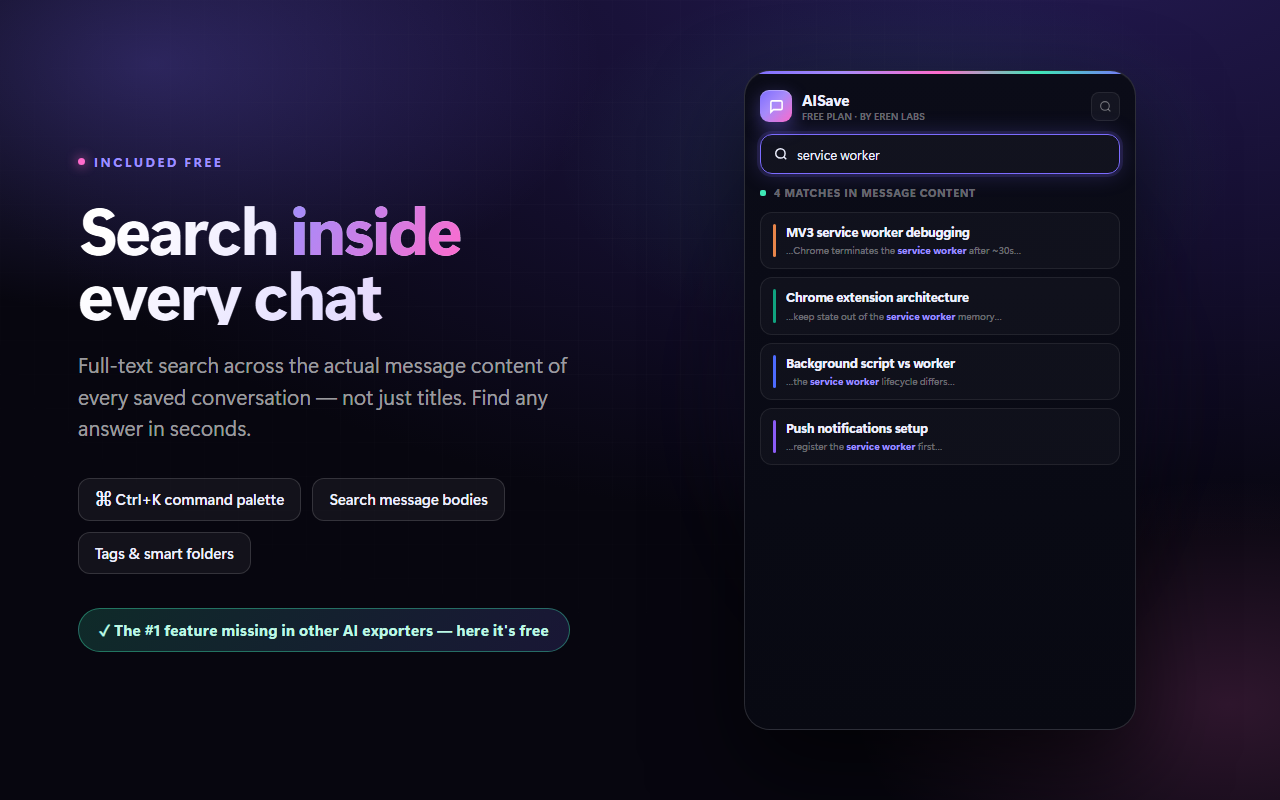
Most tools only search chat titles. AISave indexes the full content of everything you save, so you can find that one explanation from three weeks ago in seconds — and it's free for everyone.

  • Full-text index — every saved message body is searchable, with matches highlighted.
  • Command palette — press Ctrl+K to jump to any conversation, prompt or command.
  • Tags & smart folders — auto-tags and saved filters keep large archives navigable.
Full-text search
Searching inside saved AI messages
Export

Take your knowledge anywhere

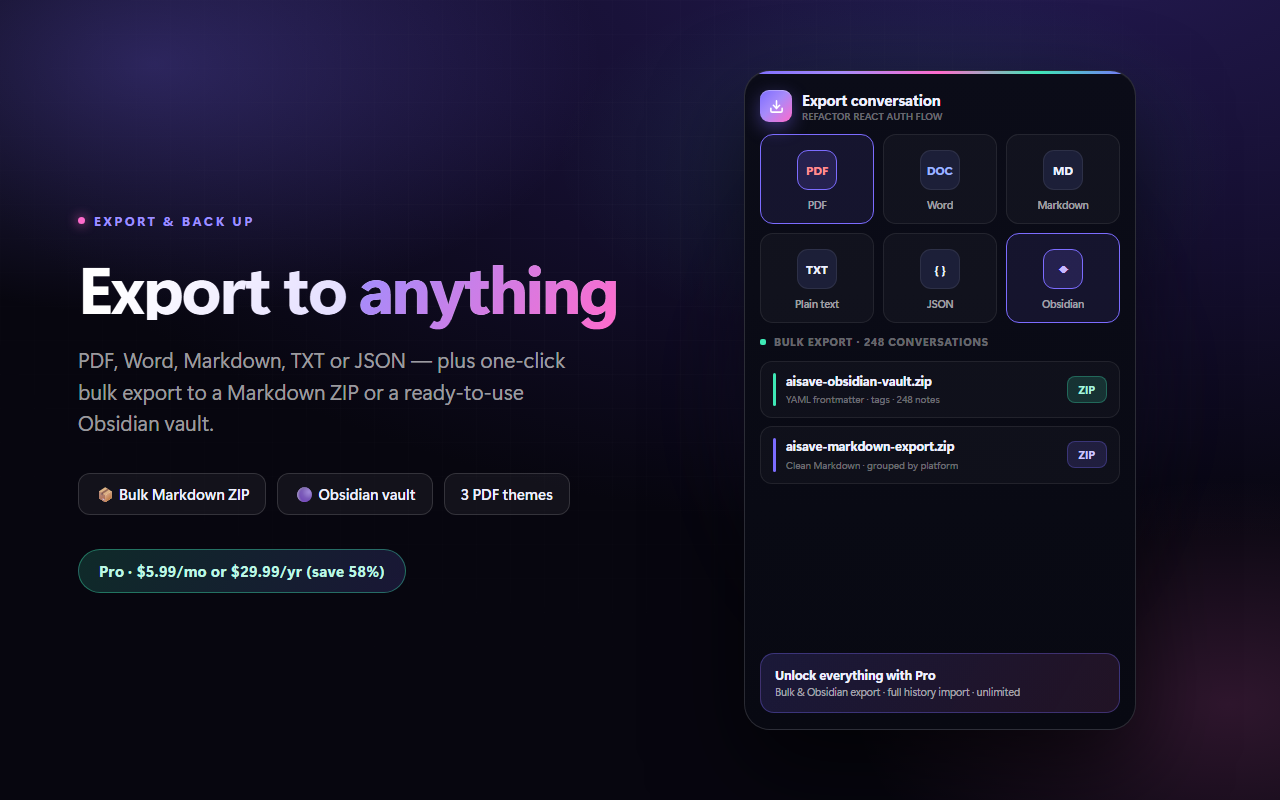
Export a single conversation or your entire archive. Clean templates preserve code blocks and formatting, and the Obsidian vault export drops straight into your notes with tags and frontmatter.

  • Five formats — PDF, Word (.docx), Markdown, TXT and JSON, with three PDF themes.
  • Bulk & Obsidian — one click turns everything into a Markdown ZIP or an Obsidian vault.
  • History import — bring in years of past chats from an official data export.
Export & Obsidian vault
Export options including PDF, Markdown and Obsidian
How it works

Up and running in under a minute

1

Add to Chrome

Install from the Chrome Web Store. No sign-up, no account, no configuration.

2

Save as you chat

Open any supported AI site and click Save under the answers worth keeping — or select text.

3

Find & export

Search the full text, organize into folders, and export anywhere when you need it.

Free vs Pro

Generous free tier. Pro when you scale.

FeatureFreePro
AI platformsAll 6All 6
Full-text search
Saved snippets25Unlimited
Prompts & folders10 · 5Unlimited
Markdown / TXT / JSON export
PDF / Word export3 / monthUnlimited
Bulk export (Markdown ZIP)
Obsidian vault export
Full history importRecentEverything
Smart folders & auto-backup
Private by design

Your conversations never leave your device

Some extensions in this category were caught sending user chats to remote servers. AISave is built the opposite way.

  • Local storage only — everything lives in your browser. Nothing is uploaded.
  • No analytics, no tracking — we don't collect any data at all.
  • One external call — license validation, only if you upgrade to Pro.

Read the privacy policy

// AISave network activity
Conversation content uploaded0 bytes
Analytics / tracking callsnone
Third-party serversnone
Local storage (your browser)everything
External requestlicense check (Pro only)
Pricing

Start free. Upgrade only if you need more.

Free
$0
Free forever
  • All 6 AI platforms
  • Full-text search
  • 25 snippets · 10 prompts · 5 folders
  • Unlimited Markdown, TXT & JSON
  • 3 PDF / Word exports per month
Add to Chrome
Best value
Pro
$5.99 / mo
or $29.99 / year — save 58%
  • Everything unlimited
  • Bulk export as Markdown ZIP
  • Obsidian vault export
  • Full history import
  • Smart folders & auto-backup
  • All export themes
Get AISave Pro

Secure checkout via Freemius · 14-day refund · cancel anytime

FAQ

Questions, answered

Is my data really private?

Yes. Every conversation, snippet and prompt is stored locally in your browser. There are no servers, no analytics and no tracking. The only external request AISave ever makes is license validation, and only if you upgrade to Pro.

Which AI assistants are supported?

ChatGPT, Claude, Gemini, DeepSeek, Grok and Perplexity. Open the extension on any of them and the save buttons appear automatically — everything lands in the same shared archive.

Do I need an account?

No. Install it and start saving — there's no sign-up. A license key is only involved if you upgrade to Pro.

Can I export everything and leave?

Always. Export a full JSON backup, or your entire archive as a Markdown ZIP or Obsidian vault, at any time. Your data is yours to take.

How does Pro licensing work?

Checkout is handled by Freemius (merchant of record). After purchase you receive a license key by email — paste it into the extension and Pro unlocks instantly. There's a 14-day refund window.

What happens when an AI site changes its layout?

We monitor for breakage and ship fixes quickly. Where possible, features fall back to selection-based saving so they keep working even mid-change.

Stop losing your best AI answers

Install AISave and turn your AI conversations into a private knowledge base you actually own.

Add to Chrome — Free