WooCommerce Sale Category: Three Ways to Show On Sale Products
WooCommerce has no built-in sale category. Three ways to show on sale products: shortcode, plugin Page, or real term rules — and…
Read moreDefine the rules for a WooCommerce category once. Matching products enter automatically and leave when they no longer qualify.
Every claim on this page is filmed in a real WooCommerce admin, and every video ends on the storefront where the result actually shows.
The full six-minute walkthrough · nothing is requested from YouTube until you press play.
WooCommerce has no concept of a category that maintains itself. So the work lands on you — again and again, quietly, forever.
A sale ends at midnight and the product sits in “Clearance” until someone notices. Scheduled prices change while nobody is looking — the category never hears about it.
200 new products arrive from a supplier CSV with no categories. Someone opens the products list and starts ticking boxes — for the fourth time this quarter.
People search for “red XL dress”, not “dresses”. Building a real page for every attribute combination by hand is a week of work that starts rotting the day you finish.
What if the category were a definition, not a list?
Category management stops scaling the moment a catalogue outgrows what one person can hold in their head — because every price change, restock and new product is a re-check nobody actually does. Here the rule is the category.
Other ecommerce platforms call these automated collections or smart collections; elsewhere they are dynamic categories. WooCommerce product categories have always been a manual list. Smart Categories gives the same idea a rule engine — and goes further: the category rules nest to any depth and match on 35+ fields.
Write the rule once. Membership refreshes when a product, price, stock level or attribute changes, plus a daily sweep. A product that stops matching leaves on its own — no cron babysitting, no monthly audit.
The engine only ever removes memberships it created itself. A product you assigned to a category by hand is never taken out because a rule changed — the two kinds of assignment live side by side.
Point a rule set at a WooCommerce product category or a product tag and the same engine runs both, with the live preview showing exactly which products match before you save.
Three steps, and then you stop thinking about it.
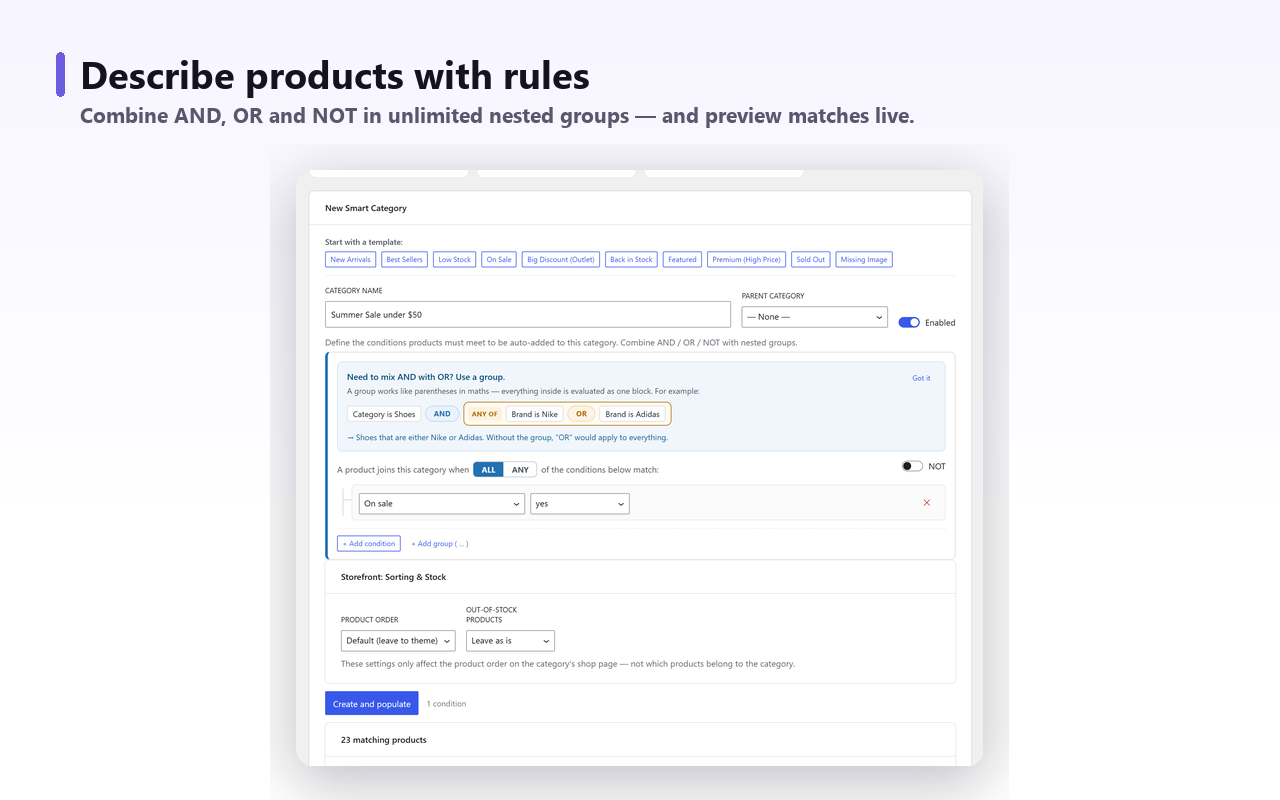
Pick a ready-made template — On Sale, New Arrivals, Low Stock, Best Sellers — or compose your own rules. The live preview counts matches as you type.
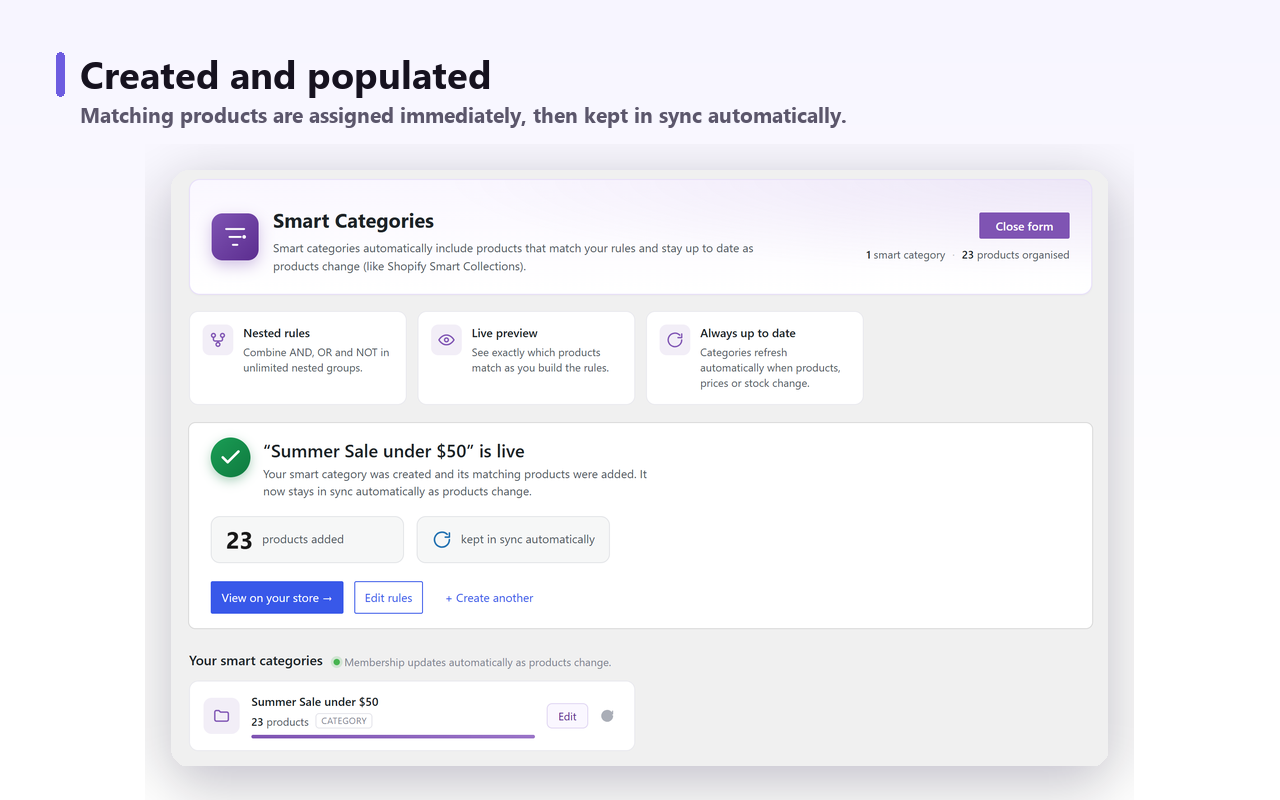
Save, and every matching product is assigned immediately. It is a real WooCommerce category — real URL, real archive page, real product count.
Membership refreshes when a product, price or stock level changes, plus a daily sweep. A product that stops matching leaves on its own.
Everything in this section ships in the free plugin. No caps on categories, rules or products.
Group conditions to any depth: (Colour is Black OR Red) AND price < 50 AND NOT tag Clearance. No artificial limit on groups or nesting.
See exactly which products match — and how many — while you compose the rules. No saving and hoping.
Re-evaluated on product, price and stock changes, plus a daily sweep for scheduled sales and anything that changed outside WooCommerce.
The engine tracks the memberships it created and removes only those. Products you assigned by hand are never touched.
Point any rule set at a product category or a product tag. Order the shop page by best-selling, newest, price or rating, and push out-of-stock items to the end.
Drop a smart category’s products into any page or post with the Gutenberg block or [scwc_products].
No new dashboard to learn — it lives where your product categories already are.
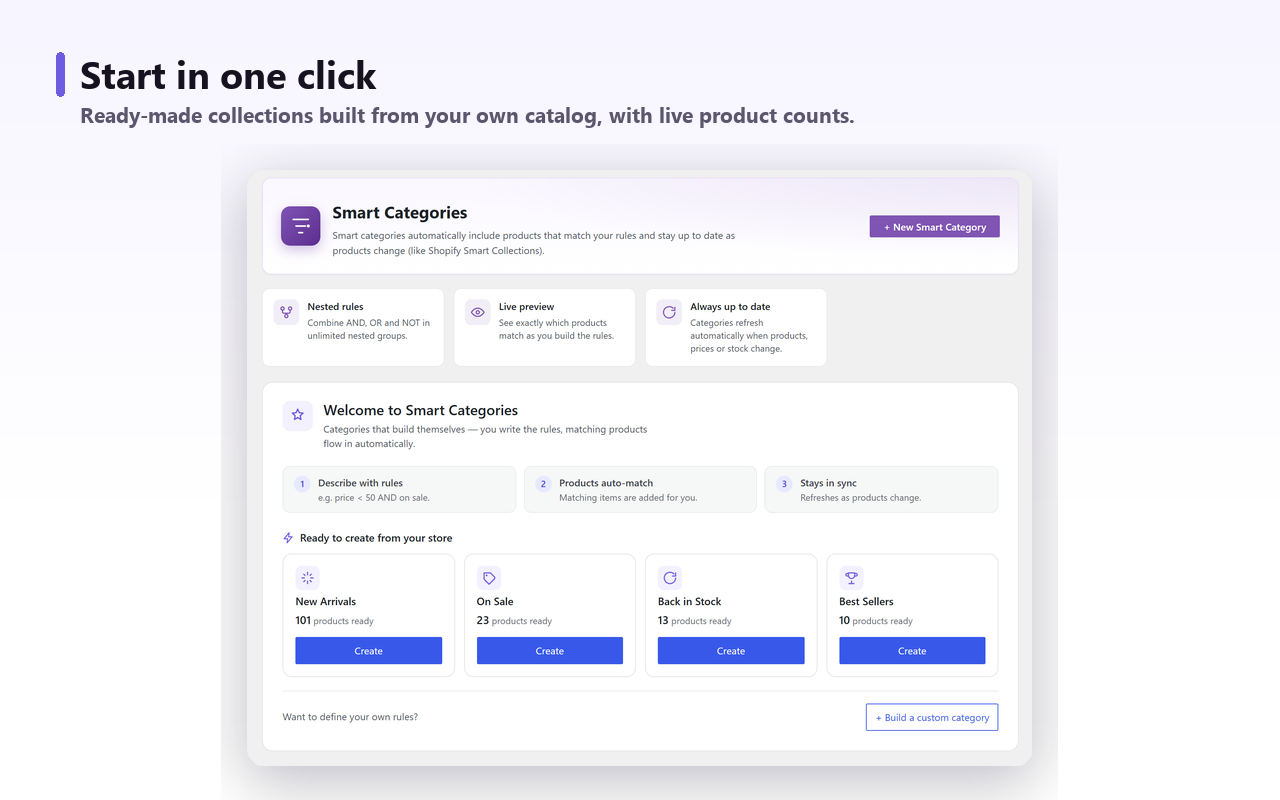
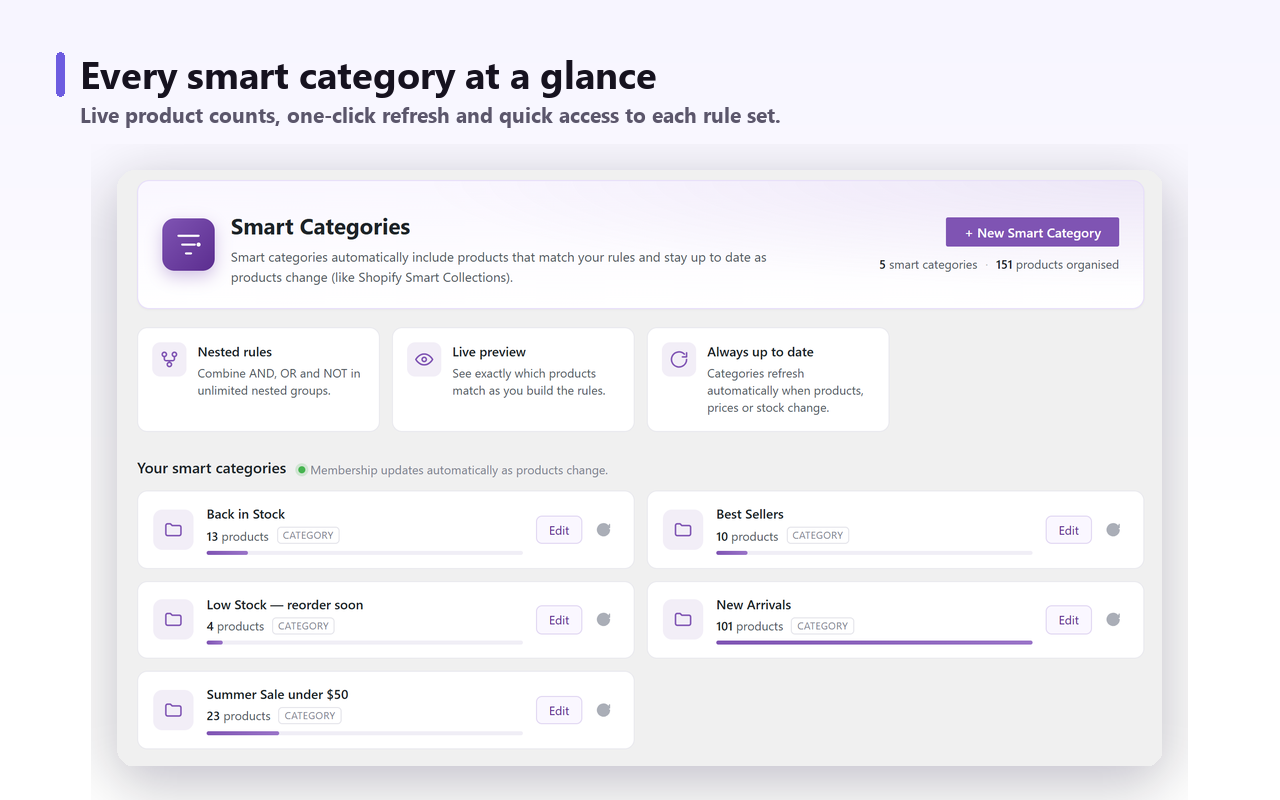
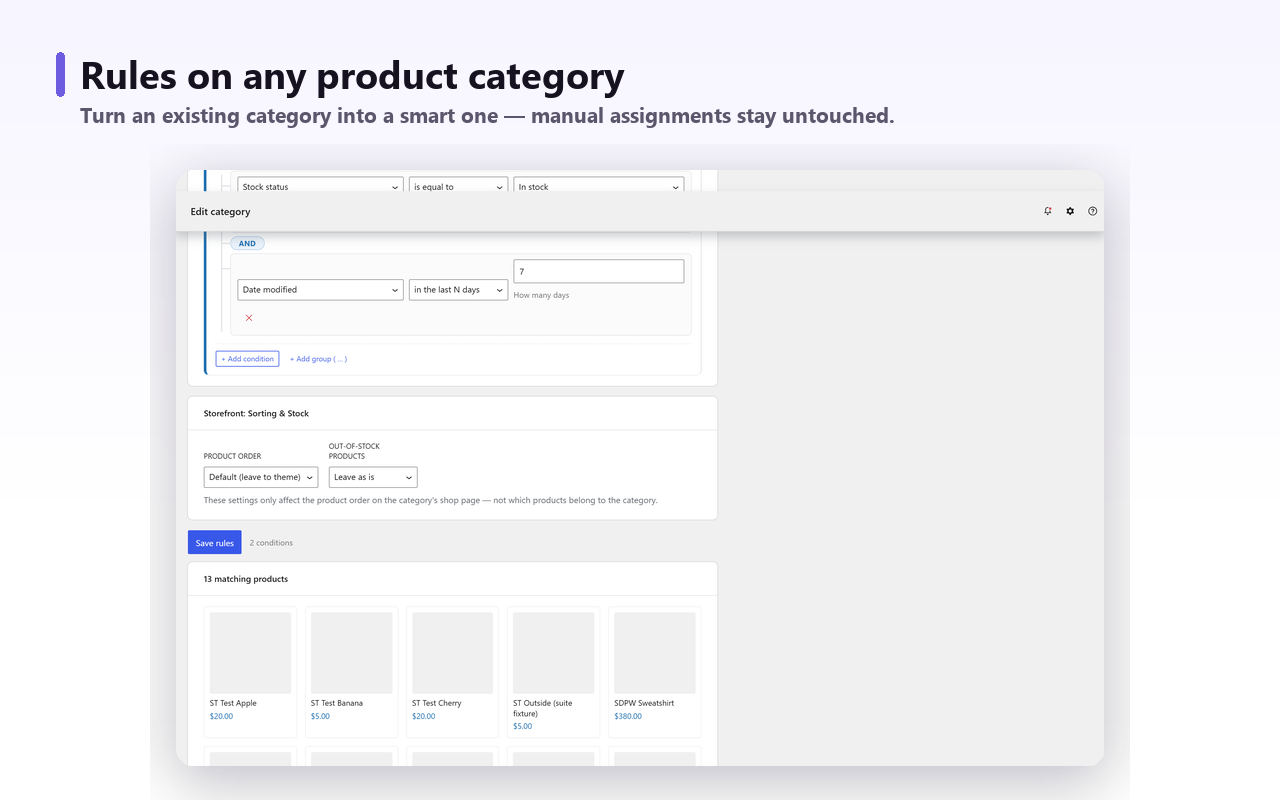
Ready-made collections built from your own catalog — each template shows how many of your products are already waiting for it.
Pick an attribute — or two. Pro generates one smart subcategory per value or combination, each a genuine indexable category page, kept in sync and growing as new values appear.
Choose Colour × Size on “Dresses” and Pro builds Red XL Dress, Blue M Dress, Black S Dress — with editable name templates like {value1} {value2} {parent} — showing you every page and its product count before anything is created.
Shoppers search for black hoodie, not hoodies. Every value you generate becomes a real WooCommerce product category — its own URL, its own archive template, its own product count — so it is indexable and linkable like any category you built by hand, not a filtered view that search engines ignore.
Building that level manually is a week of work that starts going stale the day you finish: a new colour arrives, a size sells out, a brand is dropped. Pro re-runs the generator daily, so a new attribute value grows its own page on its own and the tree keeps matching the catalogue without anyone maintaining it.
Pro adds match fields your product table doesn’t have: units sold over the last 7, 30 or 90 days, revenue, sales velocity and days since the last sale. Build a Trending collection that refreshes daily, or a Stale stock one that quietly tells you what to discount.
Start with the free rule engine and review the generator screenshots before buying Pro. If the paid product does not work as described and we cannot resolve the issue, request a refund within 14 days of your first licence purchase. See the refund policy for the conditions.
Anything WooCommerce knows about a product can drive a category. Purple fields are Pro.
The complete rule engine is free. Pro adds generation, scale and sales intelligence.
The full engine, no limits
For a single store
Agencies and small portfolios
Larger agencies
| Feature | Free | Pro |
|---|---|---|
| Unlimited nested AND/OR/NOT rule engineno cap on categories, rules or products | Included | Included |
| 35+ match fields, live preview, daily refresh | Included | Included |
| Storefront sorting & out-of-stock handling | Included | Included |
Products block + [scwc_products] shortcode | Included | Included |
| Attribute subcategory generatorone or two dimensions, editable name templates | Not included | Included |
| Live generation preview with product counts | Not included | Included |
| Category Tree overview page | Not included | Included |
| Sales-intelligence fieldsunits sold, revenue, velocity, days since last sale | Not included | Included |
| Auto-growth of new attribute values (daily) | Not included | Included |
| Priority support | Not included | Included |
Checkout and licensing are handled securely by Freemius. Prices in USD.
No download portal to hunt through. Buy, install, paste your key — Pro is on in a couple of minutes.
Complete the secure Freemius checkout and your licence key lands in your inbox instantly, with a link to the Pro download.
Download the Pro ZIP from your purchase email or Freemius account. Follow the installation instructions supplied with the download, then activate the Pro plugin on your WordPress site.
Paste the key in the plugin's licence screen and Pro unlocks on the spot, with automatic updates from then on.
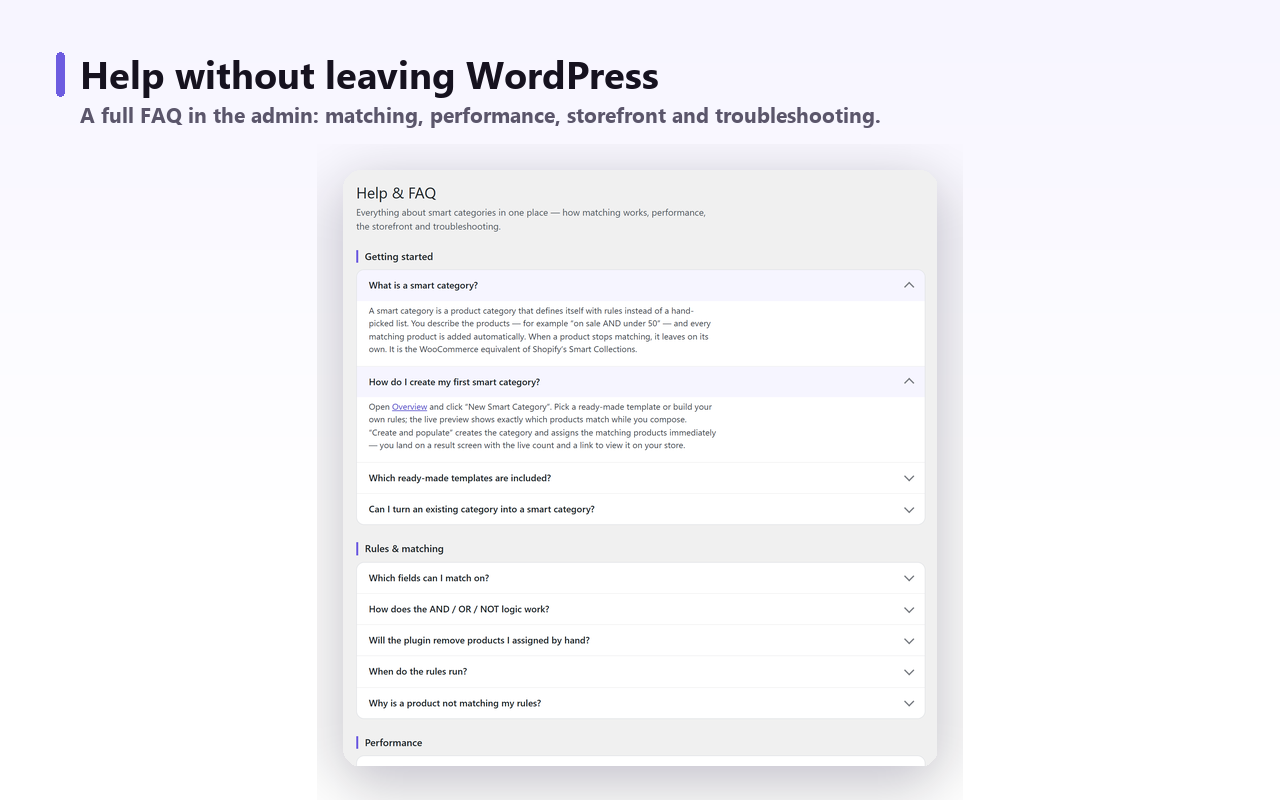
Everything worth knowing before you install it.
Yes, that is the closest comparison. Other ecommerce platforms call them automated collections or smart collections; WooCommerce product categories have always been a manual list. Smart Categories gives the same idea a rule engine: nested AND/OR/NOT groups, 35+ fields, a live preview before you save, and membership that refreshes itself when a price, stock level or attribute changes.
That is what it is for. Category management stops scaling the moment a catalogue outgrows what one person can remember, because every price change, restock and new product is a re-check nobody does. Here the rule is the category: write it once and product categorization keeps itself current, on a live update and a daily sweep, however many thousands of products you carry.
A normal category is a list you maintain by hand. A smart category is a definition: you write rules such as “on sale AND price under 50”, and every matching product is assigned automatically. When a product stops matching it leaves on its own, so the category is never stale.
No. The plugin tracks which memberships it created and only ever removes those. Anything you assigned by hand stays put, so you can mix manual picks with rule-based ones in the same category.
Yes. Open any existing product category, add rules, and matching products flow in alongside the ones already there. Nothing you already assigned is touched.
Immediately. Membership is re-evaluated when a product is created or updated and when price or stock changes, plus a daily sweep catches anything that changed outside WooCommerce — scheduled sales starting, for example.
Matching runs in the background through Action Scheduler in batches, not on page load, so the storefront is unaffected. Category pages themselves stay ordinary WooCommerce category pages — there is no runtime filtering on the front end.
The complete rule engine is free with no caps on categories, rules or products: unlimited nested AND/OR/NOT, 35+ match fields, live preview, daily refresh, storefront sorting, block and shortcode. Pro adds the attribute subcategory generator, two-attribute combinations, the Category Tree page, sales-intelligence match fields and priority support.
Yes. Each generated subcategory is a genuine WooCommerce product category with its own URL, archive page and product count — indexable and linkable like any other category, not a filtered view.
WordPress 6.6+ with WooCommerce on PHP 7.4 or newer. It is HPOS-compatible, works with simple and variable products, and supports WooCommerce global product attributes.
Nothing breaks. Your smart categories are real WooCommerce product categories with their rules stored in your own database, so they keep matching products exactly as before. You lose new Pro features — the generator, the Category Tree page and sales-intelligence fields — not your data or your pages.
No. Local and staging installs are free, so a 1-site licence covers your live store plus the copies you develop on. Agencies buying 5 or 20 sites spend those activations on client production sites only.
The 14-day guarantee applies to the first purchase of a new licence if the product does not work as described and we cannot resolve the issue. A change of mind and subscription renewals are not covered. See our refund policy for the full conditions.
The complete engine is free on WordPress.org. Install it, build one smart category, and see how much of your week it gives back.
Free version has no caps on categories, rules or products · Read the documentation →
WooCommerce has no built-in sale category. Three ways to show on sale products: shortcode, plugin Page, or real term rules — and…
Read moreWooCommerce has no built-in category rules: membership is a stored list. Four ways to automate it, and where each one quietly breaks.
Read moreWooCommerce parent category not showing products? Parents already include child products — check display type, catalog visibility, stock and block themes.
Read moreBulk Edit only ever adds — unticking removes nothing. Add in bulk, remove with CSV or WP-CLI, and clear an inherited Uncategorized…
Read moreThree ways to build a WooCommerce new arrivals page — sorting, the Product Collection block, or a real category — plus the…
Read moreWooCommerce’s hide out-of-stock setting skips search, ignores backorders and empties category counts. What it does, and the snippet that sorts instead.
Read moreWooCommerce ranks best sellers on total_sales, a lifetime counter refunds never reduce. Why old products stay on top, and how to rank…
Read moreAttributes drive variations, categories drive navigation. What the WooCommerce Enable archives box creates, and three tests before a colour earns a page.
Read moreCrawled – currently not indexed, or Discovered? The exact status tells you which cause is keeping your WooCommerce category page out of…
Read moreChange a WooCommerce category slug or parent and the old URL 404s: WordPress writes no redirect for terms. Build the map, write…
Read moreSign in to the Freemius Customer Portal with the email address you used at checkout.