WooCommerce Variation Image Not Changing: Find Your Symptom First
They pick Blue and the photo stays red. Match the symptom first, then work the causes in cost order — from a…
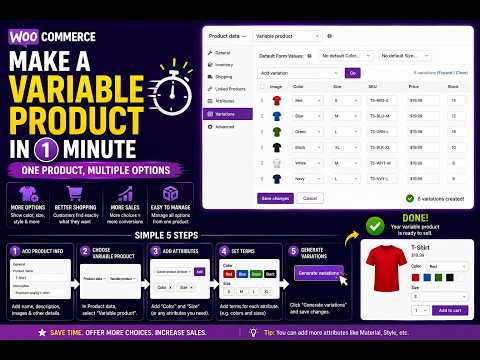
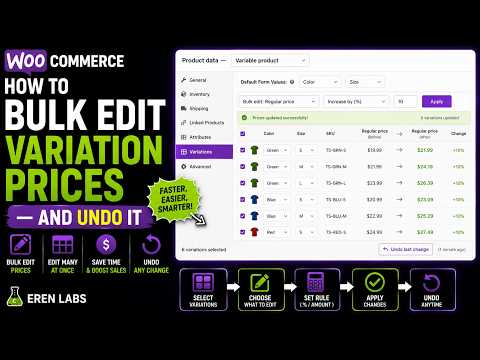
Read moreCreate product variations, stock, SKUs and prices on one screen. Pro adds bulk editing of existing variations with a preview and undo.
WooCommerce can do product variations. It just makes you build them one screen, one save and one accordion at a time.
Add the attribute. Save. Tick “Used for variations”. Save again. Open the Variations tab. Generate. Wait. Only now can you type a single price.
Nine variations means nine accordions to expand, nine stock boxes, nine SKUs — each one its own click, its own reload, its own chance to lose the lot.
The usual escape is a CSV export, an edit in Excel and an import that maps columns by hand — for a change you could have typed in thirty seconds.
One screen. One click. One save.
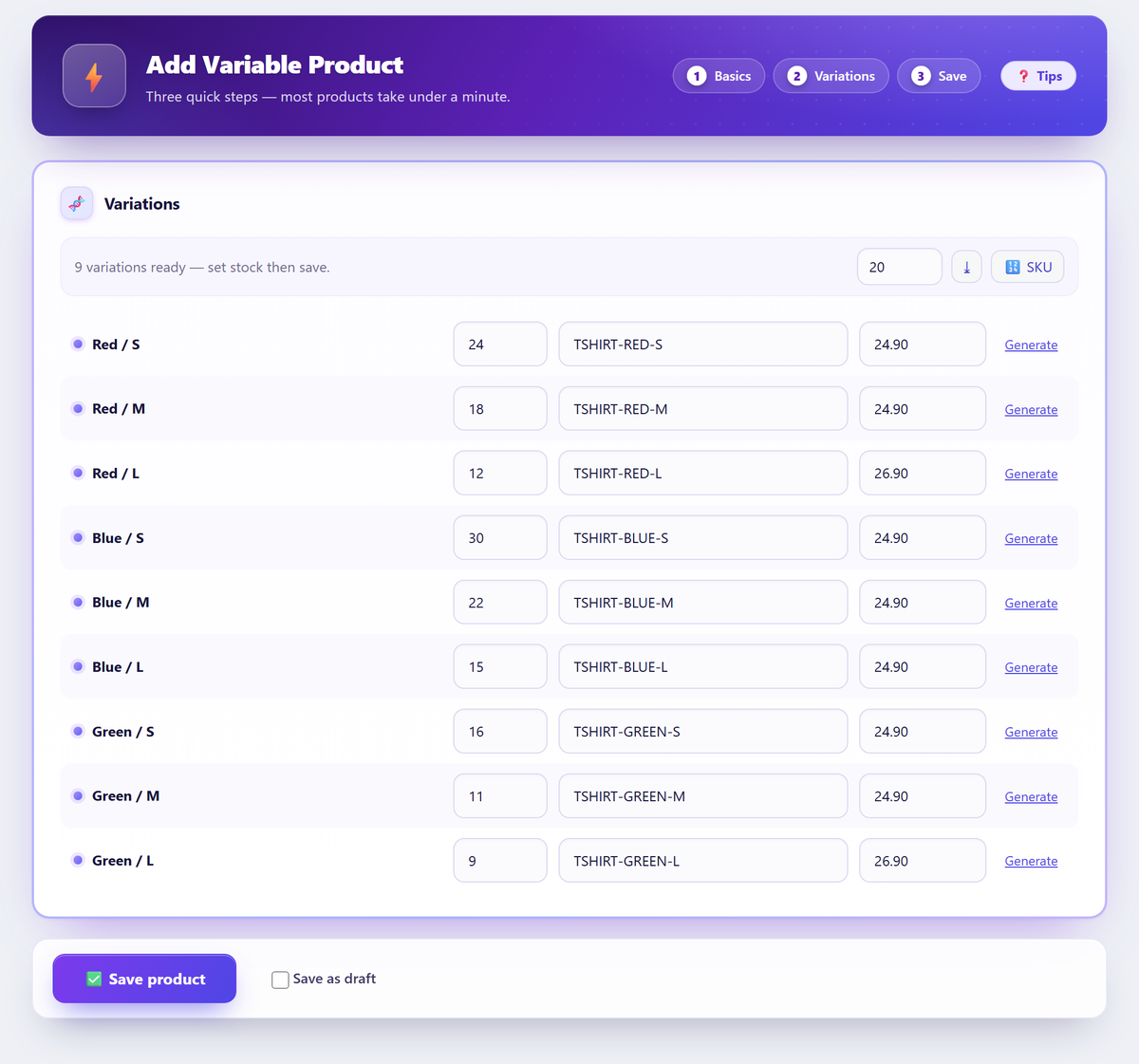
The real plugin screens: type the product attributes, generate every variation, fill the rows, save.
No tab to come back to, no second save, no export.
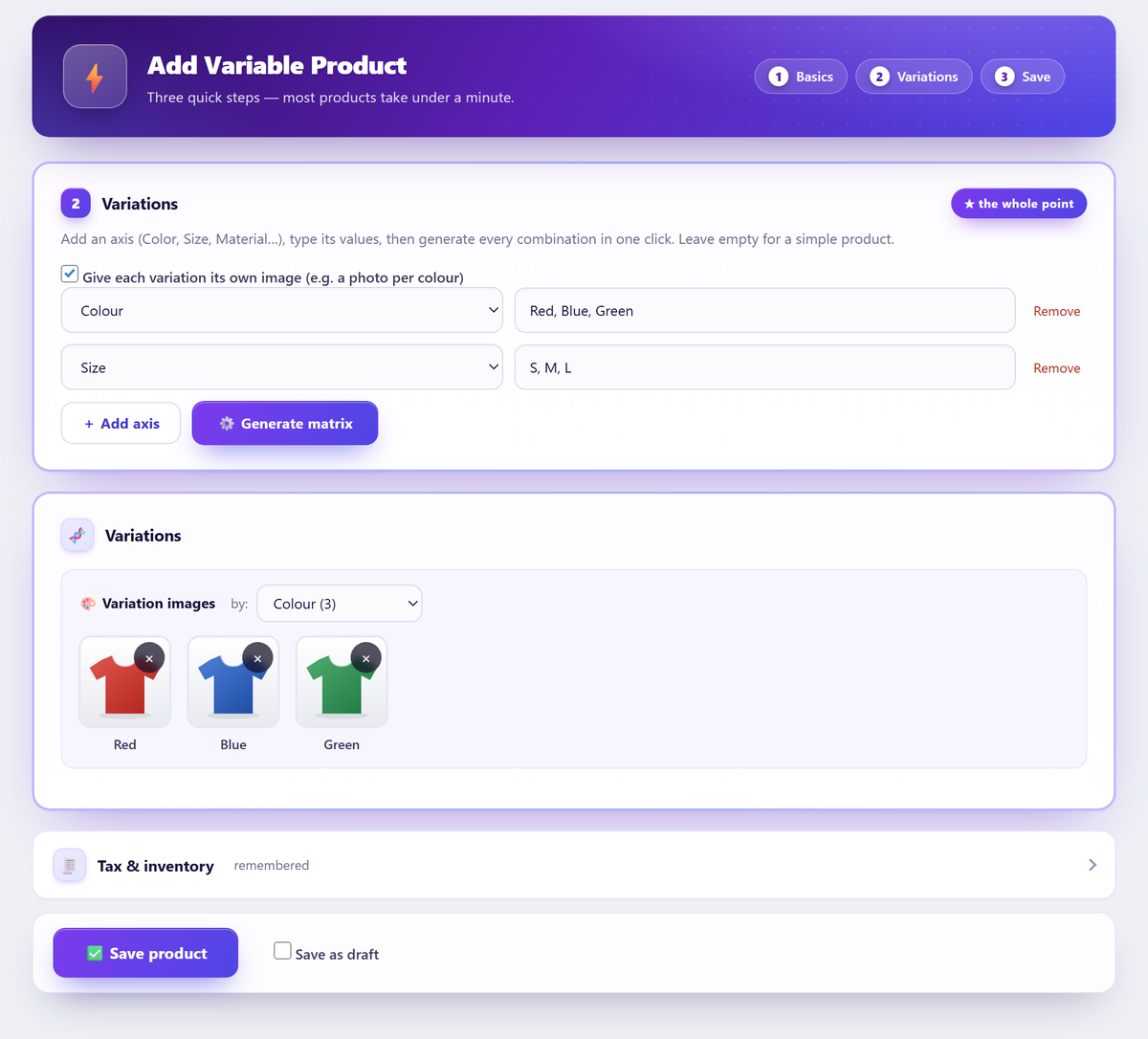
Add one axis per attribute — Colour, Size, Material — and type the values separated by commas. Use the global attributes you already have, or create a new one without leaving the screen.
One click builds the full cartesian product. Three colours × three sizes is nine real WooCommerce variations, in one pass, with no 50-variation ceiling.
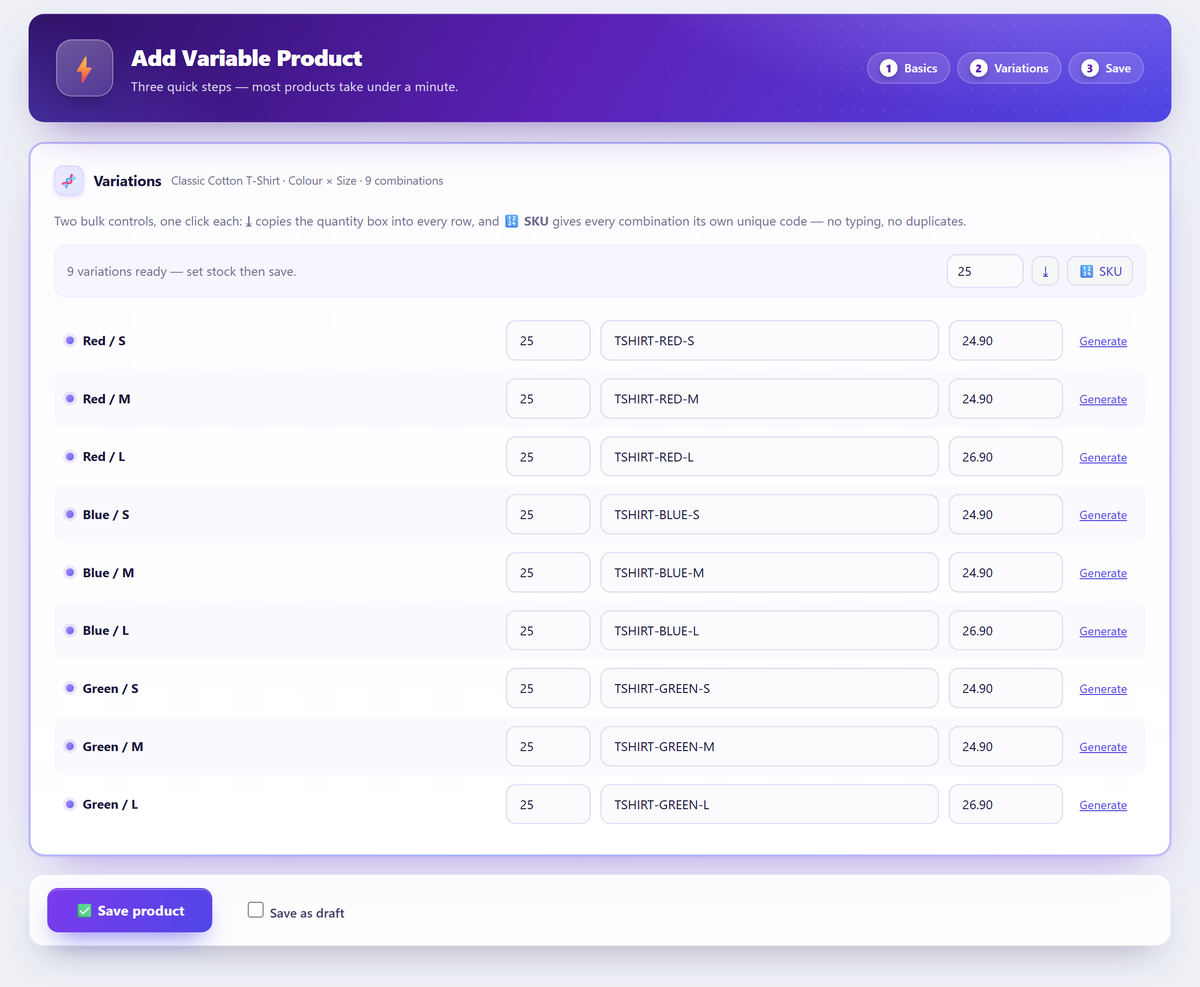
Price, SKU and stock sit inline on every row. Set all quantities at once, auto-generate SKUs, attach an image per colour — then save the whole product a single time.
The create screen is the whole plugin in one view. Axes at the top, the generated matrix underneath, and every field you need on the row itself. Nothing reloads between typing a value and saving the product.
Eight variations used to mean eight accordions. Here the fields are already in front of you: type the quantity, let the SKU generate itself, press Enter to drop to the next row. A barcode scanner works because the field is just a text box.
Tick one box and a strip appears with a slot per attribute value. Pick the red shirt for red, the blue for blue. WooCommerce has always had a field for this — the plugin just fills it in while you are already there.
The bulk editor filters your catalogue, shows an exact before → after preview of what it is about to do, applies it in batches, and keeps a checkpoint so any run can be undone later — not only the last one.
The create workflow is free and unlimited. The tools that change what you already have are Pro.
Global pa_* attributes you already use, or a brand-new one created inline. Two axes or five — the matrix is built the same way.
Every combination generated in a single pass. No 50-variation limit, no CSV, no spreadsheet round-trip.
Inline fields on every generated row, “set all quantities”, bulk SKU generation, and Enter-to-next-row so a barcode scanner can do the typing.
Assign a photo per attribute value while you build the product. Written the native WooCommerce way, so the storefront swaps it when the shopper picks a colour.
For fabric off a roll or wire off a spool: one quantity on the parent that every variation draws from. Native parent-managed stock, no shadow inventory.
Admin-only, zero storefront footprint, HPOS-ready. What it writes is an ordinary WooCommerce product — deactivate the plugin and everything stays exactly as it is.
A new size arrives. Pick the products, preview exactly how many rows would be created, apply — and undo the whole run if it was wrong.
PROFilter the catalogue, then change price, sale price, cost, stock, weight, SKU, tax class, categories or titles across everything that matched.
PROEvery bulk run is checkpointed before it writes. Undo any run, not just the last one — and rows edited since are skipped instead of silently overwritten.
PROOne payment a year, on as many sites as you need. No usage limits in either tier.
| What you get | Free | Pro |
|---|---|---|
| Generate every combinationAny number of axes, one pass | ||
| Price, SKU and stock per rowInline, no variation forms | ||
| One image per variationThe native WooCommerce field | ||
| Shared stock poolParent-managed, opt-in | ||
| Add variations to existing productsOne product or hundreds | Not included | |
| Catalogue-wide bulk editor20+ fields, filter first | Not included | |
| Before → after previewNothing is written unseen | Not included | |
| Undo any run, not just the lastConflict-safe run history | Not included | |
| Galleries per attribute valueSeveral photos, not one | Not included | |
| Saved recipes & templatesRepeat a set-up in a click | Not included | |
| Download | Get Pro |
Not sure yet? Install the free plugin first — Pro activates on top of it with a licence key, and nothing you built has to be redone.
Open Quick Products → Add Product, add one row per attribute (Colour and Size, for example), type the values separated by commas, and press Generate matrix. One row per combination appears; fill in stock, SKU and price, then save once.
No. The whole combination set is created in a single pass — sixty variations from three axes is one click. A safety cap of 1500 protects the server from an accidental runaway request, and a filter raises it.
Completely. Variations are written through the WooCommerce API into the standard tables, so the product editor, reports, feeds, exports and every other extension read them like any other product. Deactivating the plugin changes nothing about what you already made.
That is Pro. The free plugin is about creating new products fast; Pro adds an add-to-existing tool — for one product or for hundreds at once — with a preview before it writes and an undo afterwards.
Nothing is written before you have seen an exact before → after preview. Every run is checkpointed first, so you can undo any run in the history, not only the most recent one. Rows edited since the run are reported as conflicts and skipped rather than overwritten.
No. It is admin-only. The plugin registers nothing on your storefront — no scripts, no styles, no queries on the front end — so it cannot affect page speed for shoppers.
Yes. Because the output is ordinary WooCommerce data, themes and extensions do not need to know the plugin exists. It is HPOS-compatible and translation-ready, and it re-fires the standard integration hooks so SEO, translation and indexing plugins see the finished product.
Not as a free trial, and it is worth being straight about that. What you can do is judge the plugin properly before any checkout: the whole create workflow — unlimited product attributes, unlimited product variations, per-row price, SKU and stock — is free and has no time limit. Pro is then covered by a 14-day money-back guarantee: if something genuinely does not work and we cannot put it right for you, ask within fourteen days of purchase and you get the money back.
That is what the Pro side is for. Point it at one product or at hundreds, change price, sale price, stock, weight or SKU across every matching row, and see an exact before → after table before a single value is written. Each run is checkpointed, so any run in the history can be undone — not just the last one.
Both, in the same pass. You type one row per attribute — Colour, Size, Material — and the values as a comma-separated list; the plugin creates or reuses the WooCommerce product attributes, marks them used for variations, and builds the product variations from every combination. Global attributes you already have are picked up rather than duplicated.
No, and that is a different job. Variation swatches are a display feature — turning the dropdown on a product page into colour circles or image tiles — and that belongs to your theme or a swatch plugin. This one is admin-only: it builds the product variations and their data, then gets out of the way. The variations it creates are ordinary WooCommerce variations, so any swatch plugin reads them normally.
A licence key for the number of sites you chose, a year of updates and priority support, and every Pro feature listed above. Checkout is handled by Freemius — see the refund policy for the money-back terms.
Everything else is in the documentation.
Free on WordPress.org. WooCommerce required, HPOS-ready, no storefront footprint.
Already using it? The documentation covers every screen.
They pick Blue and the photo stays red. Match the symptom first, then work the causes in cost order — from a…
Read moreTwo free ways to change it: price every variation the same, or add one snippet so it reads "From £15". Plus why…
Read moreAdd a new size to one WooCommerce product or eighty: the exact steps, the CSV columns, and why Generate variations won't delete…
Read moreNo dropdowns, no Add to Cart, “please select some product options”, or an empty Variations tab: four symptoms, four causes, and which…
Read moreAttributes, generate, fill, save — plus what nothing warns you about: commas that don't split, generation that stops at 50, and 15…
Read moreAttributes describe, variations sell. One test for which attributes should become variations, and the widely repeated claim that is not true.
Read moreWooCommerce has no hard limit on variations — 30 is only a display threshold. Where the slowdown really starts, and how to…
Read moreWhy your product page shows SKU: N/A, how to put SKUs on variations you already have, and a naming scheme that still…
Read moreIn WooCommerce, bulk variations means three unrelated jobs: creating, bulk editing, or a storefront order form. Three questions tell you which is…
Read moreParent-level or per-variation stock: what ticking Manage stock does in each place, how to tell which you're on, and how to switch…
Read moreSign in to the Freemius Customer Portal with the email address you used at checkout.