









Stocktaking Software: What Actually Counts, and What It Costs
Most stocktaking tools edit stock; few can count it. Eight options compared on workflow, write-back, undo and price, with every figure sourced.
Read moreCount what is on the shelf, review differences against WooCommerce, then apply stock corrections with a restore point.
20 sample products, ready to count. No plugin to install on your store and no store connection. This demo runs the free edition; Pro features are not included.
Open sample store ↗Opens in a new tab. The first launch can take 1–2 minutes; a desktop browser is recommended. Refresh the tab or reopen the demo to start again with fresh sample data.
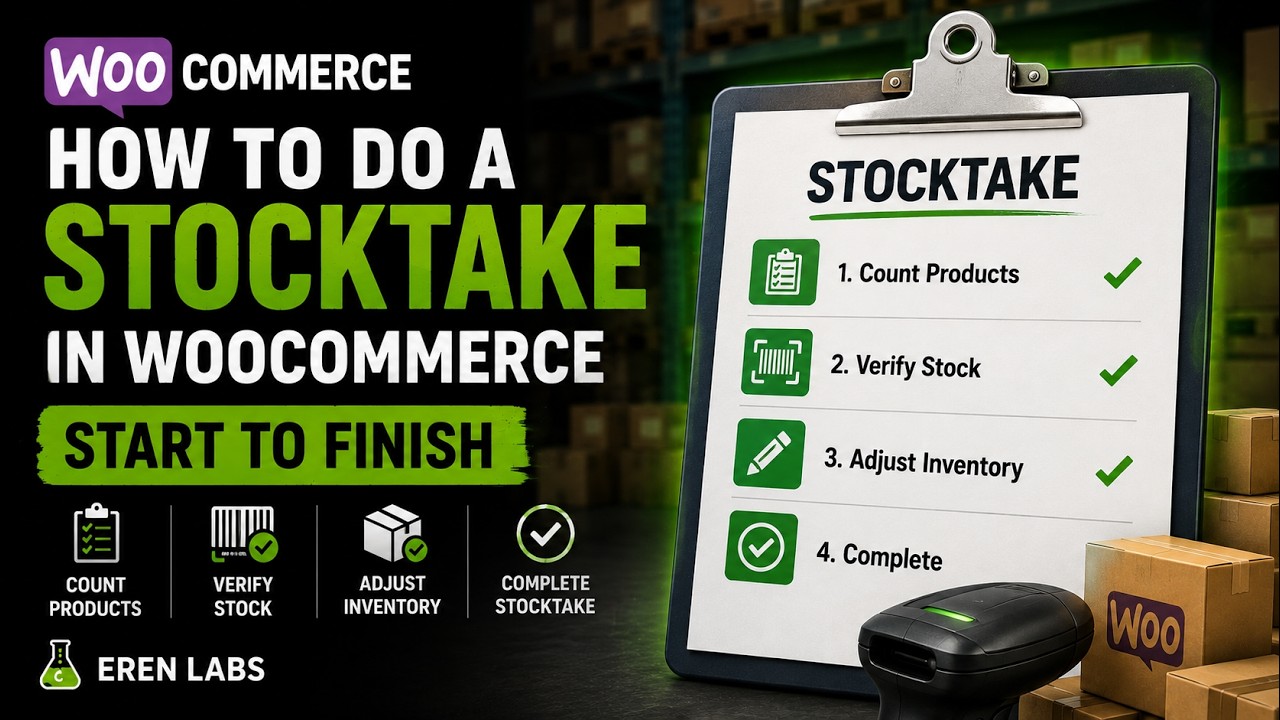
Scan a barcode, watch it count on the spot, review the variance, and post the adjustment — the real plugin, start to finish.
No sign-up needed to try it — the free plugin does the whole count. Install from WordPress.org or see Pro pricing. Full documentation is here.
Nineteen short screencasts of the real plugin — a full stocktake end to end, a cycle count, an inventory audit by category, and the Pro reports. Scroll the row; free features are marked, and nothing here is a mock-up.
Manual stocktakes are slow, error-prone, and impossible to trust. Every wrong number is a lost sale, an oversell, or hours of reconciliation.
Stock says 10, the shelf has 4. Customers order what you can't ship — and you eat the refund and the review.
Paper lists, phone photos, a spreadsheet at midnight. One typo and the whole count is suspect.
When the counter can see the expected number, the count "matches" a little too often. Shrinkage hides in plain sight. Stock loss that never turns up in a count never turns up in your accounts either.
Give every count a clear path from shelf to stock correction.
From the first scan to the posted adjustment — with the safety net built in.
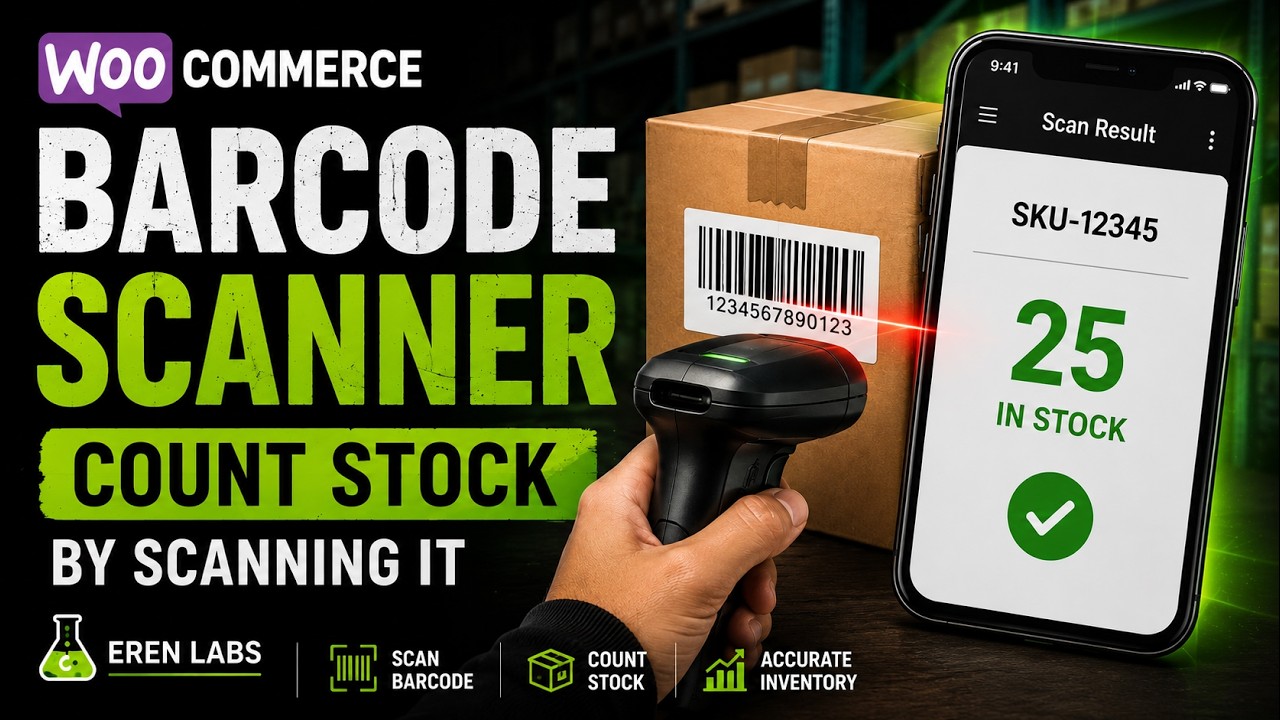
Point your phone camera at a barcode, or search by SKU and name. The line jumps to the top and increments — no keyboard needed, and no hardware scanner for everyday counts.
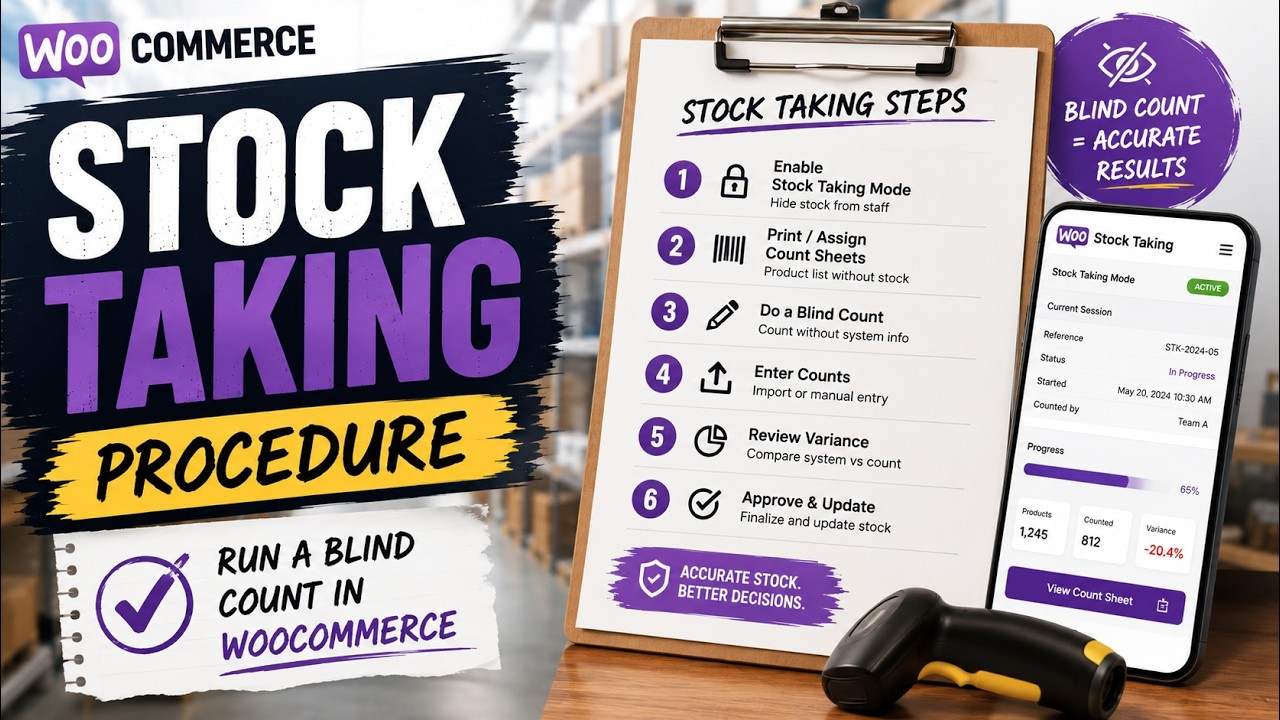
Hide the expected quantity so staff record what they actually see. You get a real count, not a rubber-stamp of the system number.
Every line shows counted vs. expected, the difference, and the value impact — so you approve the count knowing exactly what changes.
Post the whole session to WooCommerce stock in a single click. Partial, full, or additive counting modes cover every workflow.
A backup is saved before any stock is written. One click to undo the last apply — so you can count with confidence, not fear.
A real-time dashboard of total units, stock value, sales movement, top movers and dead stock — the health of your inventory at a glance.
No setup project, no consultant. Install, count, done.
Pick a scope — the whole shop, or just the categories you are counting today — and open a count. A background snapshot handles even large catalogues.
Walk the shop floor aisle by aisle with your phone, or search by SKU when a shelf-edge label has rubbed off. Blind mode keeps it honest; progress saves as you go.
Check the variances, then apply to WooCommerce in one click — with an automatic restore point in case you need to roll back.
Open the count on any phone, tablet or laptop, point the camera, and Stocktake reads the barcode and increments the line instantly. No dedicated scanner, no app store, no pairing.
Stock Pulse pulls real numbers from your store into one dashboard: how many units you hold, what they're worth, what's selling, what's running out, and what's gathering dust — updated as your store moves.
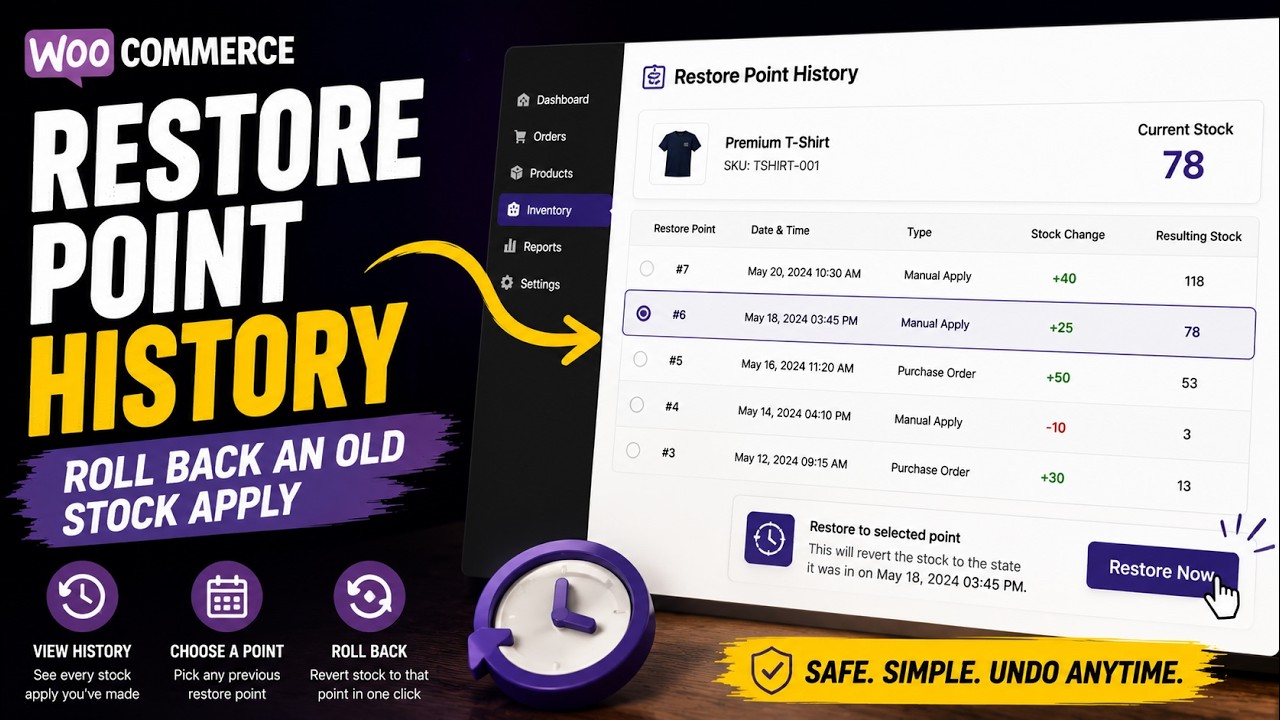
Before Stocktake writes a single number to WooCommerce, it saves a restore point of exactly what stock was. Applied the wrong count? Undo the last apply in one click and you're back where you started.
Illustrative restore-point list. See the real workflow in the demo above.
The same session engine covers every counting job a shop actually has. Scope it, count it, read the variance, apply it — the difference is only how much of the catalogue you put in scope.
The year-end, count-everything exercise your accountant asks for. Full or zero-based: every line in scope gets a counted figure, and anything not counted can be forced to zero so ghost stock cannot survive the count.
Nobody counts everything every month. A cycle count walks part of the catalogue on a rota — high-value lines often, slow movers eventually — so accuracy holds without ever closing the shop. Scope a session to a category, count it, move to the next one next week.
An audit is a count you have to be able to defend afterwards. Every session records what was expected, what was found and what the gap was worth; every apply writes a restore point first. The result is a stock audit with a trail, not a set of untraceable manual edits.
One aisle, one supplier, one shelf — because a number looks wrong and you want to know now. Scope it, scan it, done in minutes, with the rest of the catalogue untouched.
However you scope it, the ending is the same: inventory reconciliation in one click. Stocktake writes the counted figures back to WooCommerce as a single inventory adjustment, takes an automatic backup before it does, and leaves you an undo if the wrong session was applied.
Stocktake records the expected quantities when a session starts, compares them with your count, and keeps a record you can review before applying corrections.
Review counted quantities against the session’s expected stock. The variance is visible before you apply adjustments; value reports use the product cost data available to the session.
Each count is saved with its scope, date and results — and every applied adjustment leaves a restore point. Nothing changes without a trail.
Download any count as CSV — or Excel and valuation reports on Pro — so your inventory numbers line up with your accounting, audit or year-end.
When more than one person counts — or the numbers have to survive an audit — Pro adds the governance, scheduling and reporting that keep a bigger operation honest.
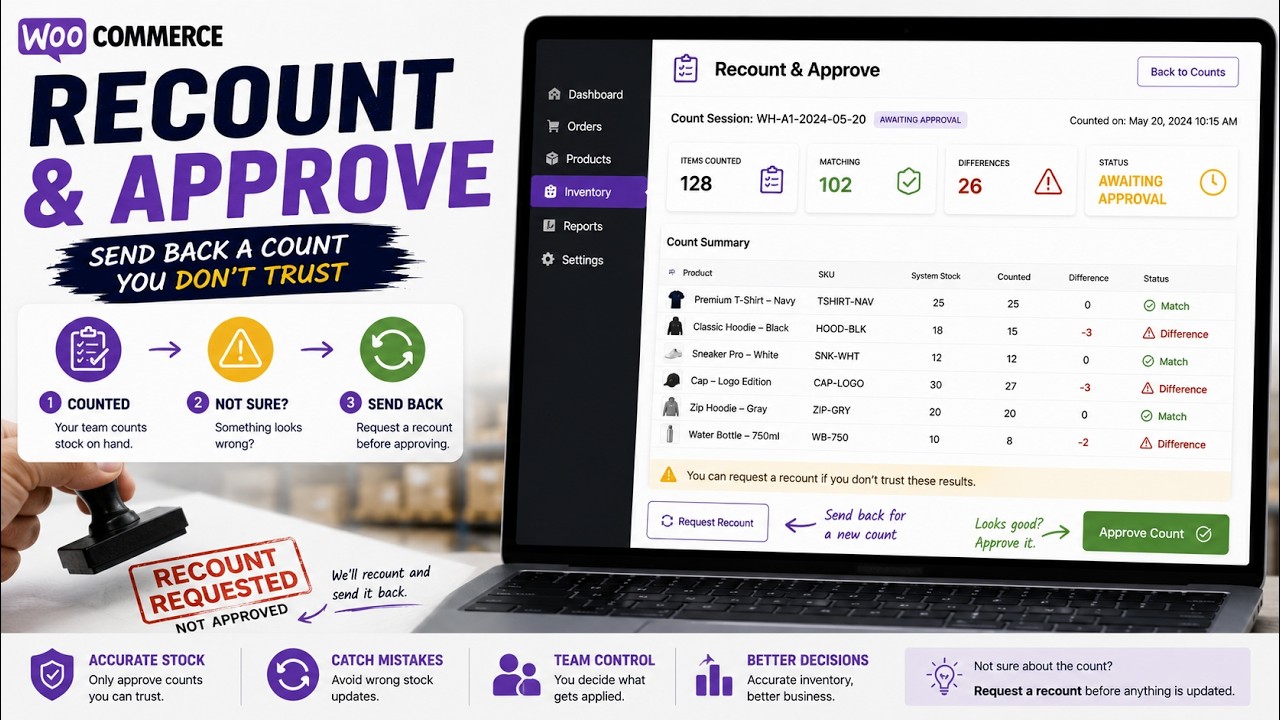
Counters submit a session for review; a supervisor checks the variances and approves before a single number reaches WooCommerce — or sends it back for a recount in one click.
Several people count the same stocktake at once, each entry tagged with who counted what — accountability that survives the count, not just the shelf.
Set a cadence — weekly, monthly, quarter-end — and Stocktake nudges the team when it's time to count, so cycle counts actually happen.
ABC insight on the items that matter most, plus an accuracy-and-shrinkage trend over time — see whether your counts are tightening or your losses are creeping up.
Break each session's variance down by category to find exactly where the losses hide — instead of one store-wide number.
Print an A4 count sheet straight from the browser — no printer drivers, no app — or hand your accountant a branded PDF or a full Excel export with valuation — your numbers, audit-ready for the books.
Start free forever. Upgrade when you want the safety net, the reports and the team features. Every paid plan is one flat annual price — no per-seat surprises.
Everything you need to count is free. Pro adds the reporting, the restock workflow and the safety net.
| Feature | Free | Pro |
|---|---|---|
| Unlimited counting sessions | Included | Included |
| Phone barcode & SKU scanning | Included | Included |
| Blind counting | Included | Included |
| Counting modespartial (spot) · full / zero-based | Included | Included |
| Count while the store keeps sellingsnapshot variance | Included | Included |
| Live variance review | Included | Included |
| One-click apply to WooCommerce | Included | Included |
| Automatic backup before every applya restore point is saved before stock changes | Included | Included |
| Undo the last applyone click back to the previous stock | Included | Included |
| CSV export | Included | Included |
| Reorder & low-stock shortlistCSV export · negative-stock warning | Included | Included |
| Stock Pulse live report | Not included | Included |
| Add-on-top (tally) counting mode | Not included | Included |
| Goods-in / restock mode | Not included | Included |
| Running-out risk, top movers & dead stock | Not included | Included |
| Recount & approval workflowsupervisor signs off before stock changes | Not included | Included |
| Multiple counters with attributionwho counted what | Not included | Included |
| Scheduled count reminders | Not included | Included |
| Quick stock checkper role & per user | Not included | Included |
| Full restore-point historyFree keeps the last only · Pro rolls back to any earlier count | Not included | Included |
| Excel (XLSX) export | Not included | Included |
| Valuation & reorder reports | Not included | Included |
| ABC insights & shrinkage trendaccuracy over time | Not included | Included |
| Variance by categoryper-session breakdown | Not included | Included |
| Printable A4 count sheetsbrowser print, no printer drivers · plus branded PDF | Not included | Included |
| Priority support | Not included | Included |
| Get Free | Get Pro |
Your purchase email and customer account contain the Pro download and licence key. Follow the installation guide, then activate your licence.
Complete the secure checkout and your licence key lands in your inbox instantly, with a link to download the Pro version.
Download the Pro ZIP from your purchase email or customer account. Follow the installation and licence guide, then activate the Pro plugin on your WordPress site.
Open Stocktake → Activate Licence, paste your key, and Pro unlocks on the spot — with automatic updates from then on.
Everything you might want to know before you count.
A cycle count checks part of your stock on a rota instead of counting everything at once. Scope a session to selected categories or your highest-value lines, count them, review the variance and apply — then take the next slice next cycle. Because each session snapshots expected quantities when it starts, a cycle count runs happily during trading hours.
Start a session so expected quantities are recorded, count the shelf, and Stocktake shows the difference product by product in units and — with Cost of Goods data set — in money. Every apply writes a restore point before it changes anything, so the inventory adjustment stays reversible. Pro keeps the full stock audit trail of applied counts, plus variance broken down by category so you can see which department is losing stock.
No. The count screen is a web page: send your counters a link and it opens in the browser on any phone or tablet, with camera barcode scanning built in. There is no stocktake app to install, no app-store approval to wait for, and nothing to keep updated on staff devices. Barcode inventory counting with a USB or Bluetooth scanner works the same way on a laptop at the counter.
Both — and the plugin does not mind which you call it. In the UK and Australia it is a stocktake (or a stock take, two words) and the job is stocktaking; in the US the same job is a physical inventory count or a cycle count. The workflow here is the same either way: snapshot the expected quantities, count, review the variance, apply.
No — Stocktake counts stock, it does not ring up sales. If you trade over the counter on an EPOS or till and online through WooCommerce, count once here and post the corrected figures to WooCommerce, so both sides of the business work from the same number. If you want a shop counter inside WooCommerce itself, that is our Retail POS plugin.
Yes, on Pro. Goods-in mode counts what has arrived rather than what is on the shelf: scan the boxes at goods inwards as you unpack them, check the total against the delivery note, and the quantities are added on top of your current stock instead of replacing it. The free version covers counting what is already on the shelf.
Not for a normal count. Stocktake scans barcodes with the camera on any phone, tablet or laptop, right in the browser, and you can always search by SKU, barcode or product name instead. Camera scanning is still in Beta: it uses the browser’s own detector, so some barcode types and damaged labels will not read on every device. For counting hundreds of lines a USB or Bluetooth scanner is faster and more reliable — and both are fully supported.
Yes. A restore point of your exact stock is saved before any change is written to WooCommerce. If something looks wrong, one click undoes the last apply. Pro keeps the full history so you can roll back further.
Free covers the complete counting workflow: unlimited sessions, phone scanning, blind counts, variance review, one-click apply and last-undo. Pro adds the Stock Pulse live report, goods-in/restock mode, full restore-point history, Excel & valuation exports, and priority support.
Yes — pick the 5-site or 20-site plan. Start on a single site and upgrade any time; you only pay the difference. One licence key, one renewal date.
Any modern WooCommerce store on WordPress 6.2+ and PHP 7.4+. It's HPOS-ready, works with simple and variable products, and is translation-ready in 8 languages out of the box.
Checkout and billing are handled by Freemius, our merchant of record — all major cards and PayPal, with proper invoices and a 14-day money-back guarantee. You can cancel any time from your account panel.
Yes. Open Stocktake → Account on the old site and deactivate the licence — that frees an activation — then enter your key on the new site. If you migrate or move a domain, the plugin also detects it and offers to transfer the licence for you. Your plan sets how many sites can be active at once (1, 5 or 20).
Right inside WordPress: Stocktake → Account shows your plan, expiry and activated sites, and lets you deactivate, sync or upgrade. From there you can also open your Freemius account for invoices, renewals and one-click cancellation — no emails to send.

Install the free plugin in two minutes, or go straight to Pro and unlock the reports, the restock mode and the full safety net.
Most stocktaking tools edit stock; few can count it. Eight options compared on workflow, write-back, undo and price, with every figure sourced.
Read moreSix sizes in four colours is 24 lines to count, not one product. Where WooCommerce keeps each number, how to spot mixed…
Read moreStock not saving? WooCommerce either refuses the edit — ‘the value has changed since editing’ — or saves nothing and says nothing.…
Read moreA count, import or bulk edit overwrote your stock. Four routes back, only the first a true undo — ordered by what…
Read moreSales during a WooCommerce stock count look after themselves — the snapshot sees to that. Goods arriving do not. What an apply…
Read moreWhat your accountant needs from a year-end count, when to run it, why zero-based mode matters, and how to turn a WooCommerce…
Read moreWooCommerce keeps one cost per product, not cost layers, so FIFO is out. Two ways to work out a stock value you…
Read moreYour WooCommerce low stock threshold should come from lead time and real demand, not a round number - and why the alert…
Read moreStock says 12, the shelf says 9. What makes WooCommerce stock levels wrong, how to confirm which cause is yours, and how…
Read moreA stock audit proves nothing if the counter can see the expected quantity. What a blind count changes, when to insist on…
Read moreSign in to the Freemius Customer Portal with the email address you used at checkout.
Never received your account password, or forgotten it? Stocktake installation & licence guide